Joining and reaching people
OOOH.TV
social media and creator platform
Beyond the core catalog, I designed the entry points and retention loops around play: claiming a username, opting into notifications at the right moment, and discovering Oooh from streams and store listings.
舞台裏
登録も通知も、アプリの端っこにある小さな画面ほど、意外とやることが多い。
Sign-up, push and marketing
Choosing a handle that isn’t already taken, asking for notification access only after a player does something worth notifying them about, and templating store screenshots across device sizes were some of the details I worked through.
Sign-up and names
Use Left and Right arrow keys to browse; Home and End reach the first and last items. You can also swipe or drag.
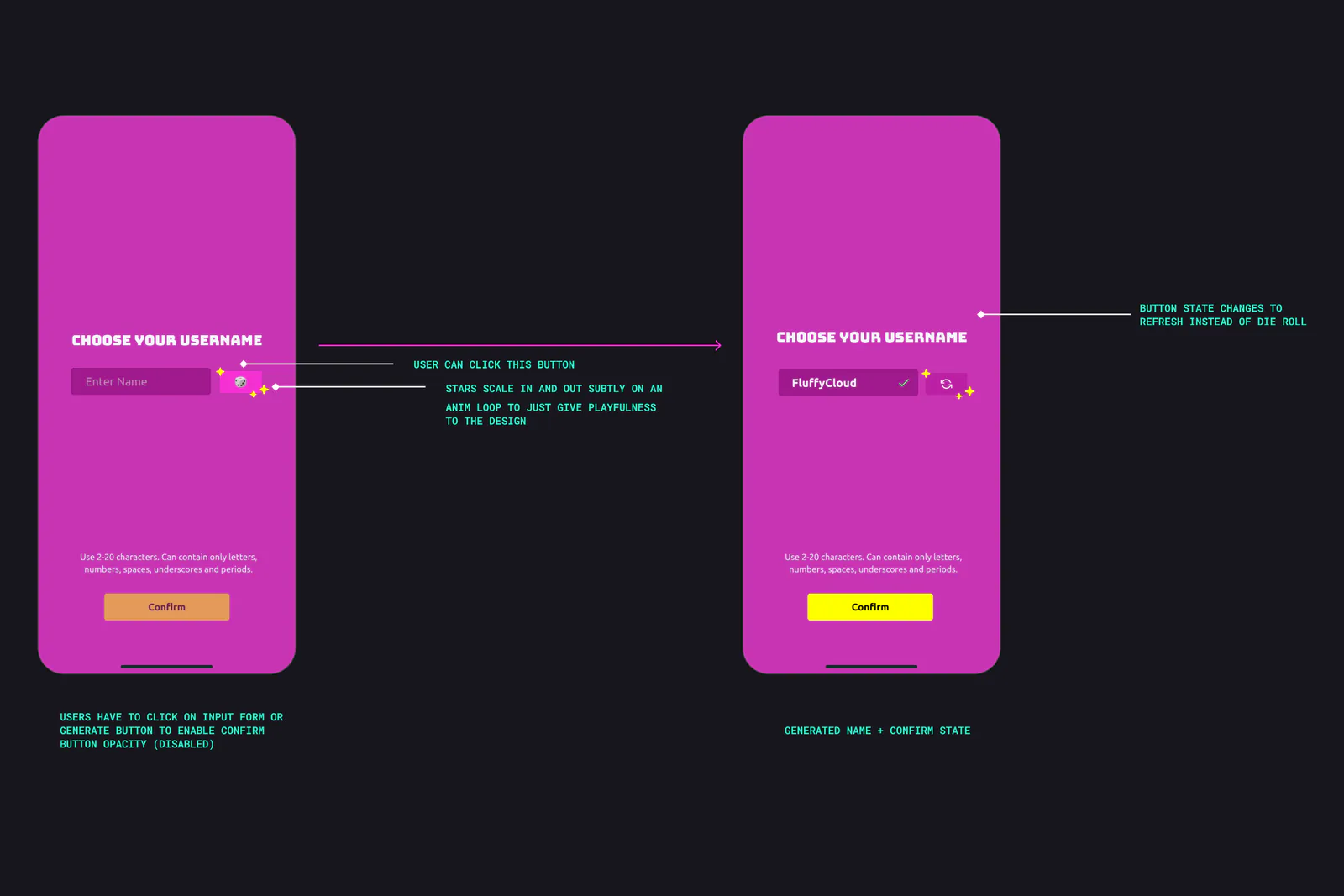
Pick a name, or roll the dice to generate a fresh handle on the spot. I designed both paths, along with inline validation when a name is taken or uses invalid characters.
Push permission
Use Left and Right arrow keys to browse; Home and End reach the first and last items. You can also swipe or drag.
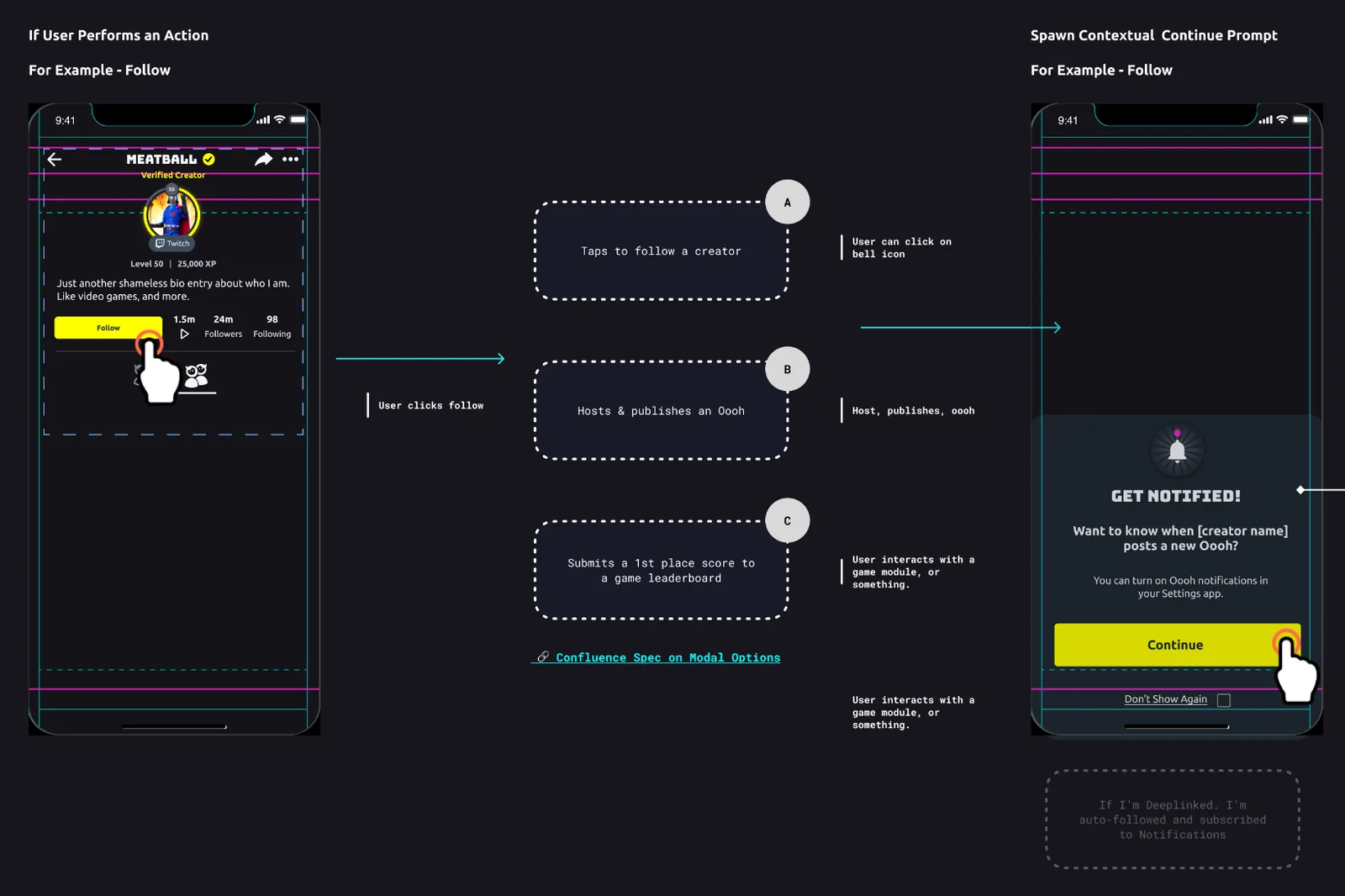
The last thing I designed at Oooh. I wanted to ask for notifications when there was a reason: right after you followed a creator, hosted a game, or landed a first-place score.
Twitch extension
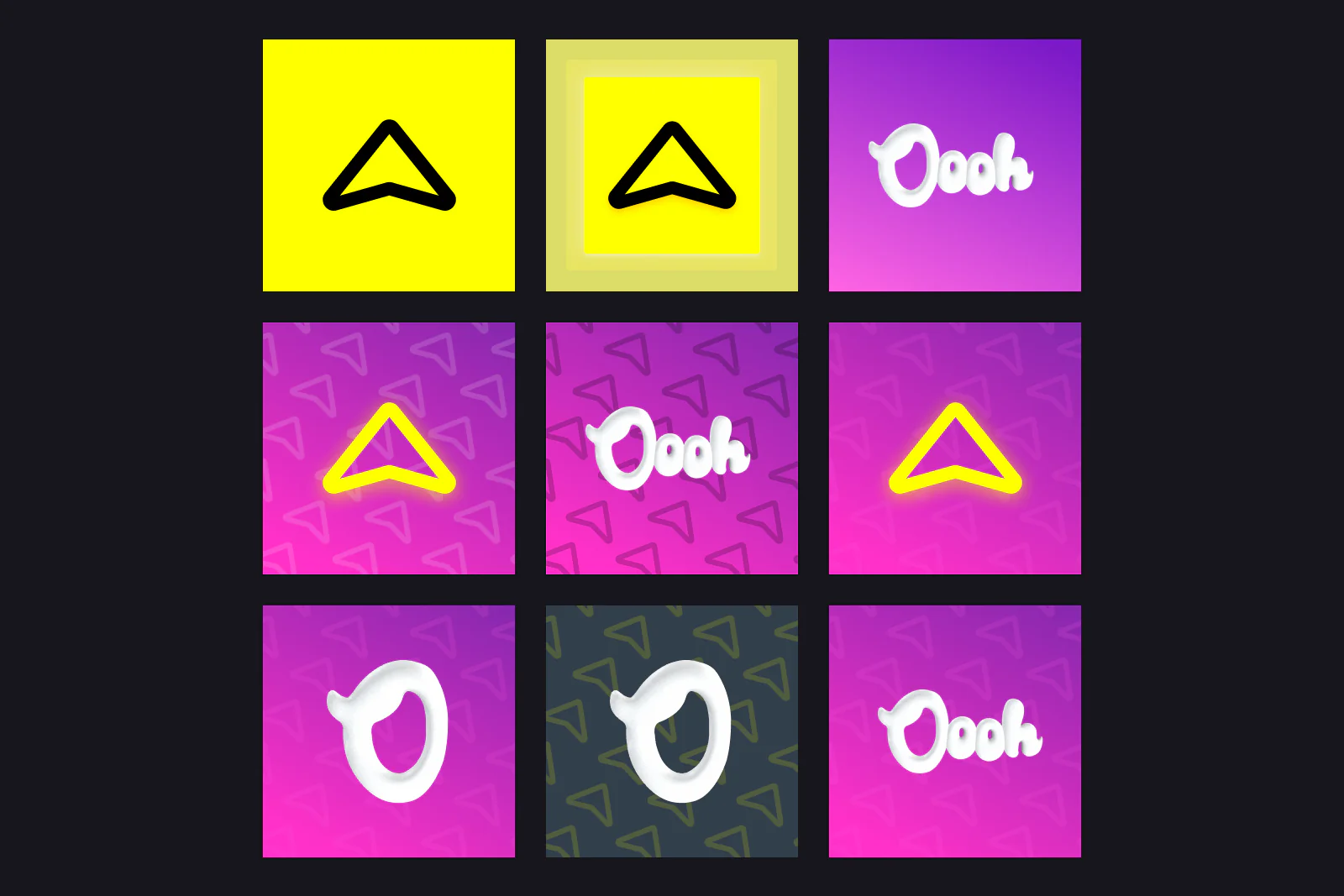
I designed the companion Twitch extension that linked a streamer’s Twitch account with Oooh, along with this icon and badge exploration grid.
App Store set
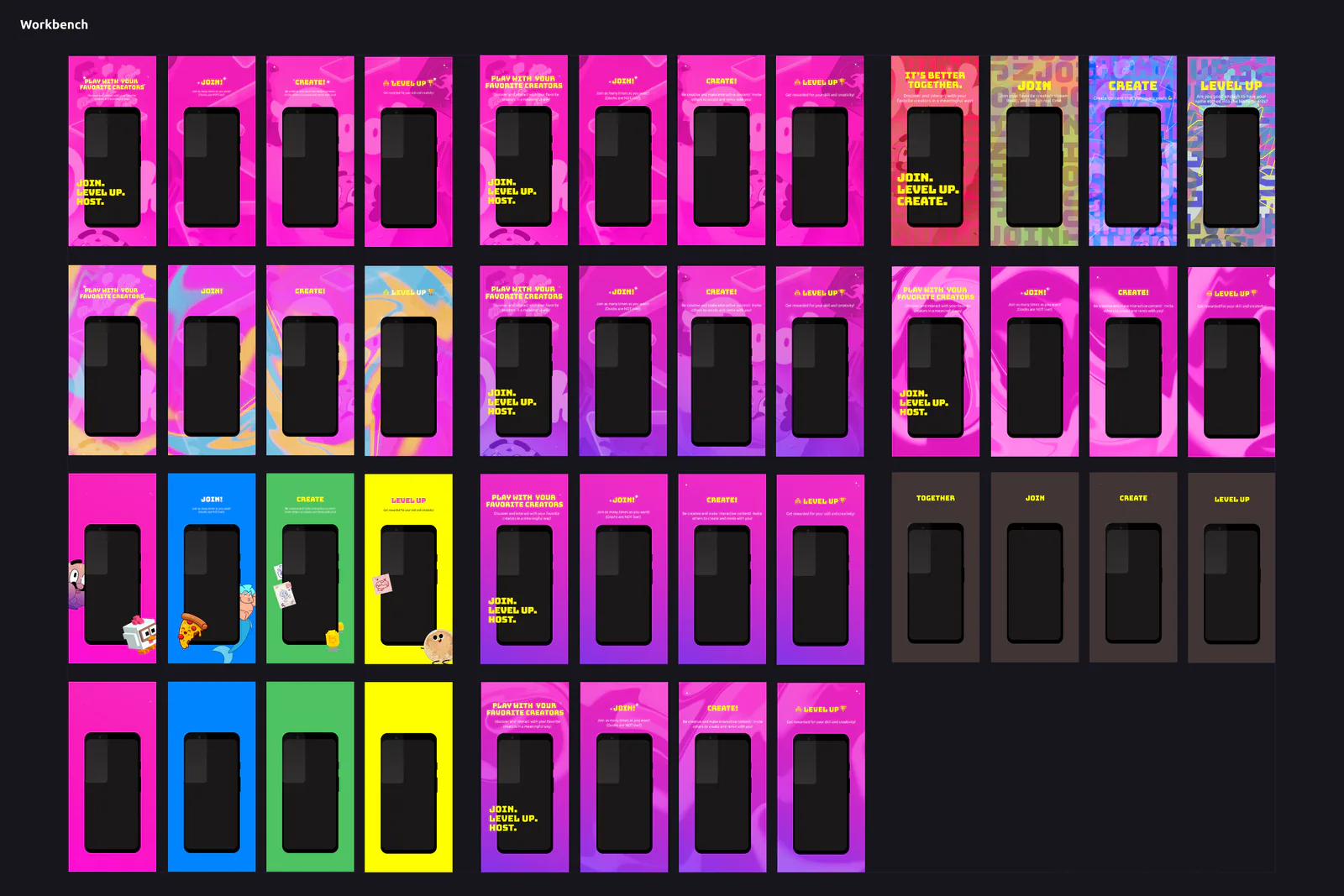
Use Left and Right arrow keys to browse; Home and End reach the first and last items. You can also swipe or drag.
I built a reusable Figma workbench for App Store and Google Play screenshots across Android and two iPhone sizes, pairing custom stickers with interchangeable background sets.
From a stream to an Oooh
I designed the Twitch extension with product manager Charlie Helman. The banner, submissions and empty states gave viewers a way into a creator’s Oooh.
 PLAY WITH YOUR
FAVORITE CREATORS


One system, several states
- Name taken: “Sorry, that name is taken”, and Confirm stays disabled.
- Illegal characters: “Invalid Characters”, and Confirm stays disabled.
- Follow, host or first place: A “GET NOTIFIED!” prompt says why first; then the iOS permission dialog.
- Said no before: A prompt points to Settings, with “Don’t Show Again” to stop the reminders.
Sign-up, push, Twitch and App Store designs. In-screen values are design samples.
ABOUT
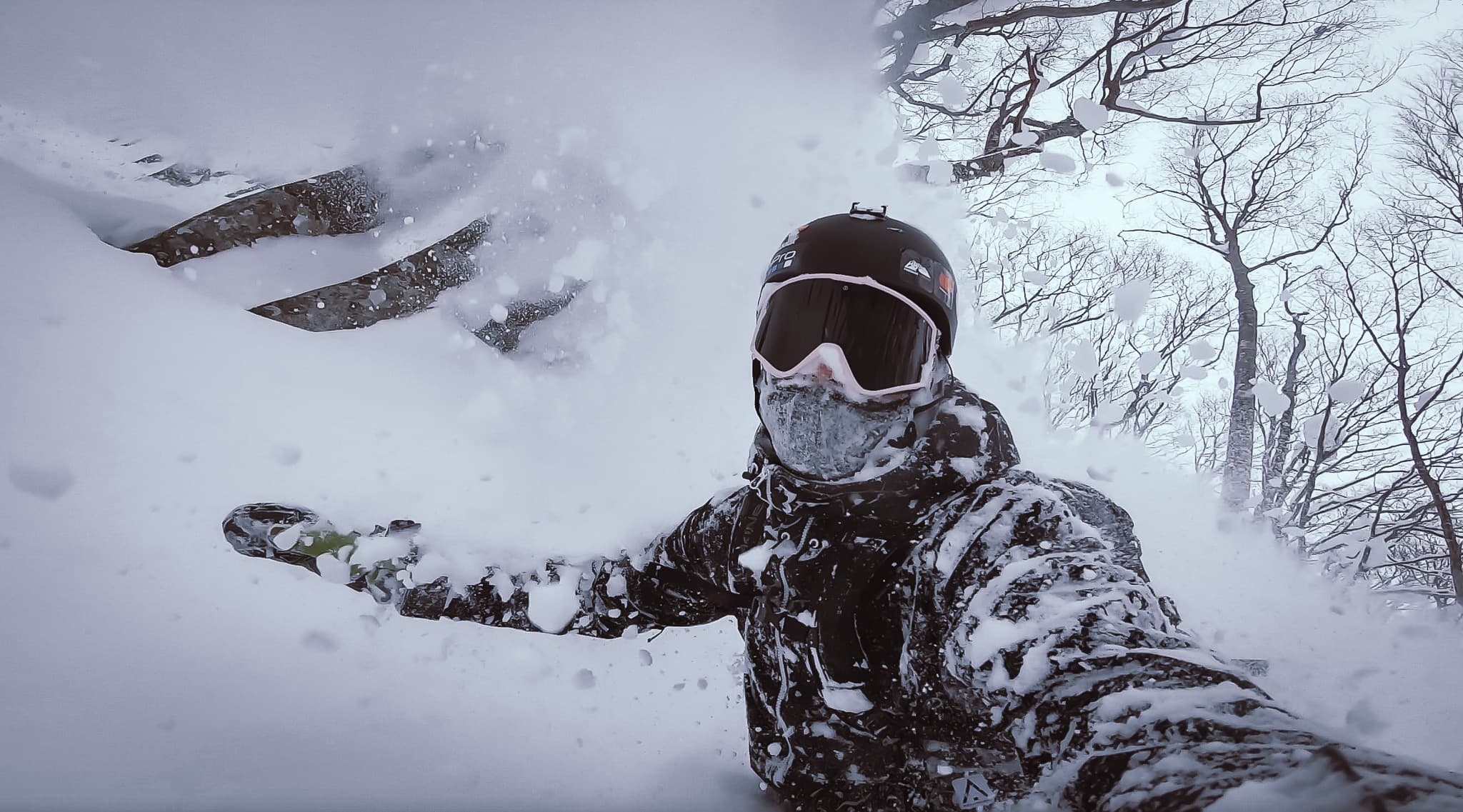
I’m Matt Stenquist, a Product Design Engineer and former professional snowboarder. I started coding at nine, shipped modded hardware and games by 16, and turned pro by 22. A few broken bones and a gold tooth later, I design and code consumer apps, Figma component systems, and AI developer tools from scratch.
LEARN MORE